List
Community seeding list
Ranks practitioners posting about your category and sorts them into community, advisory board and podcast invites.
- For
- Community and marketing teams
- You provide
- Your category, from your workspace
- You get
-
- Practitioners ranked by engagement
- Most-engaged post per person
- Three invite buckets
-
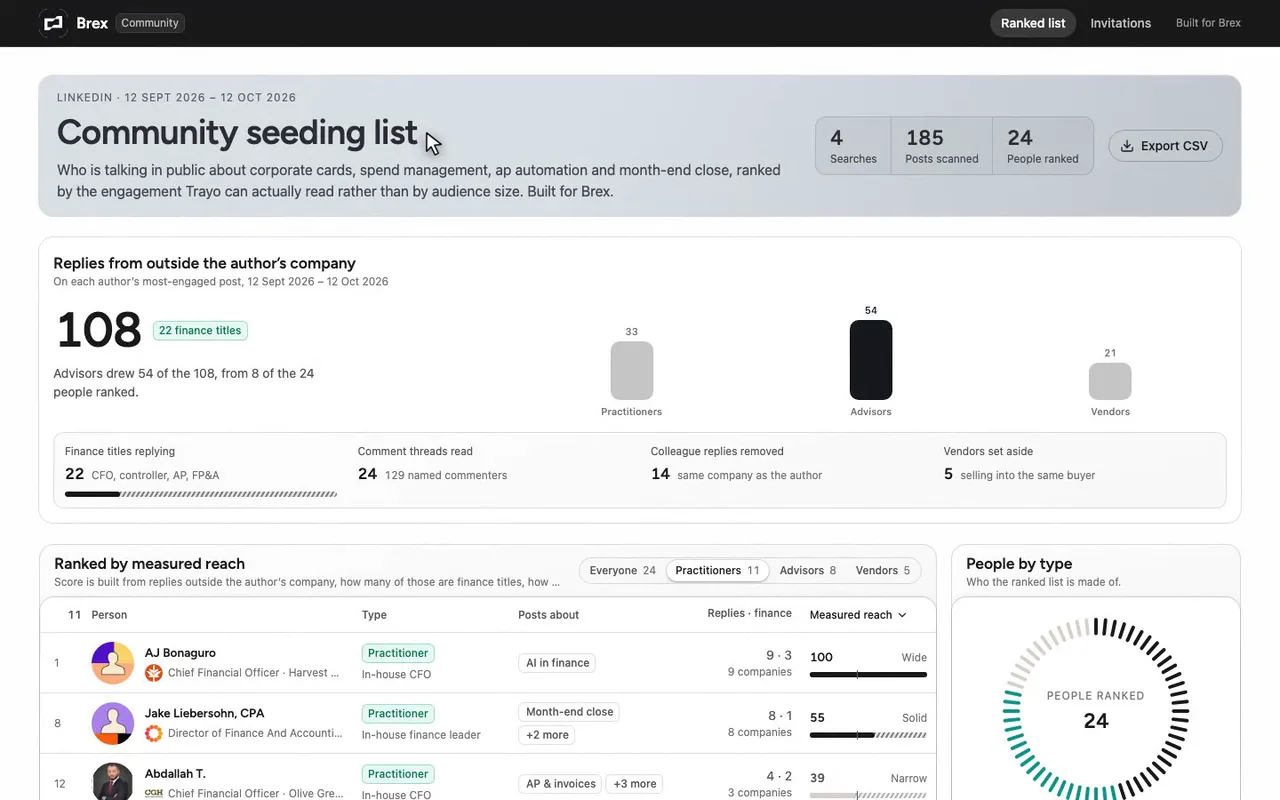
A community seeding list for Brex's community lead.
-
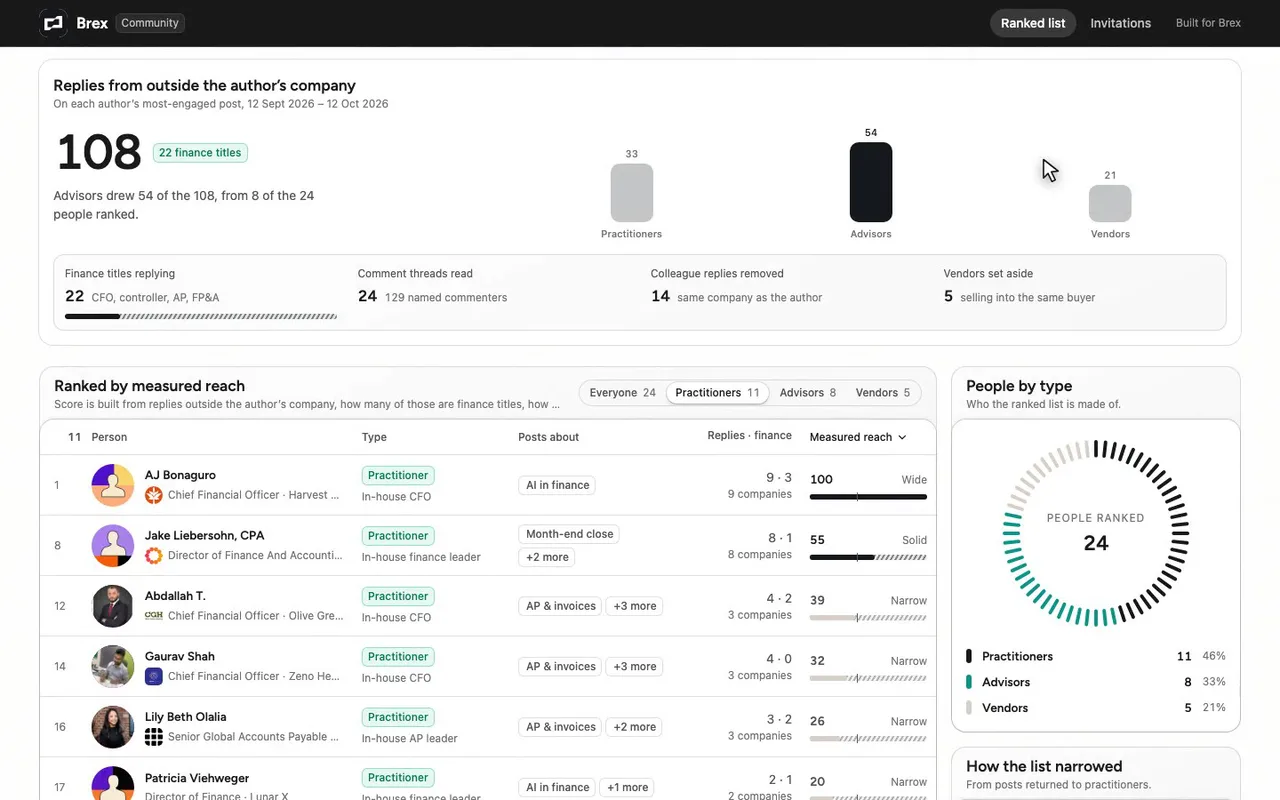
108 replies came from outside the author's own company.
-
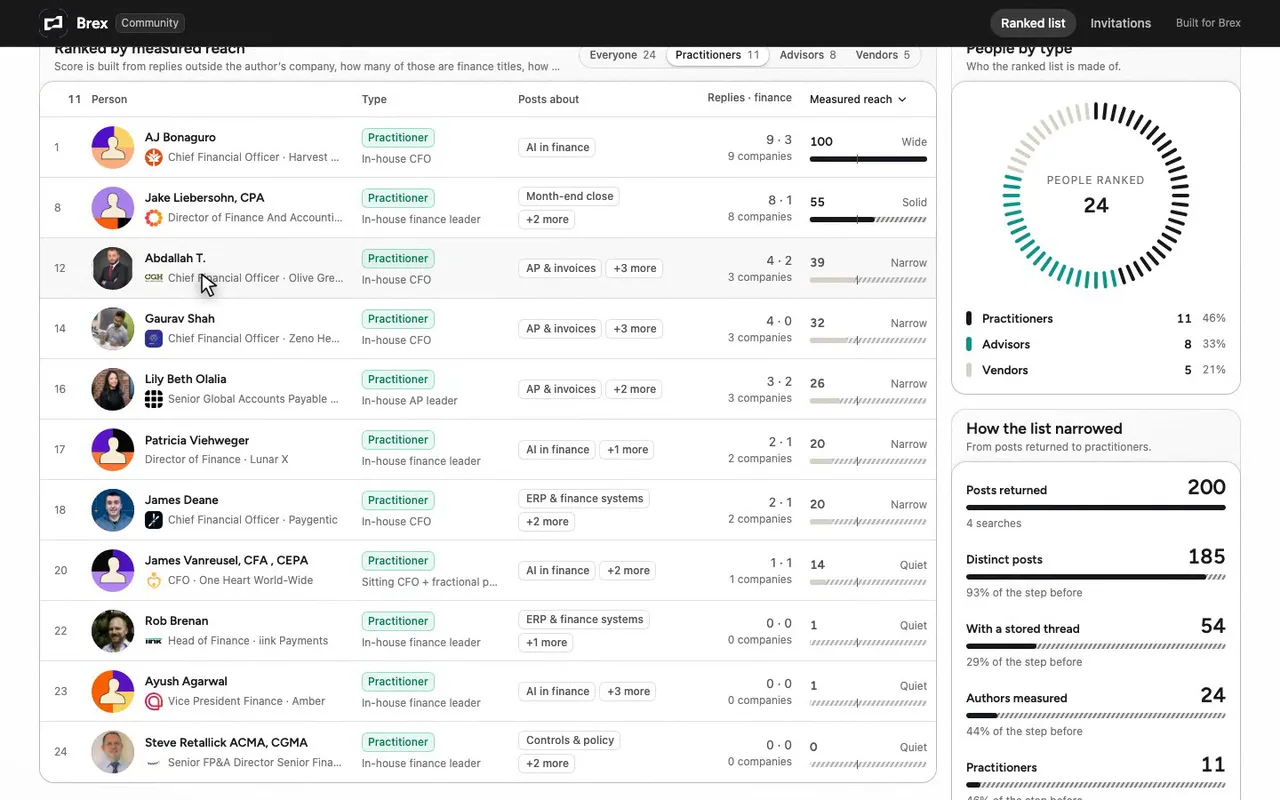
I pulled 200 posts from Trayo. 11 practitioners remain.
-
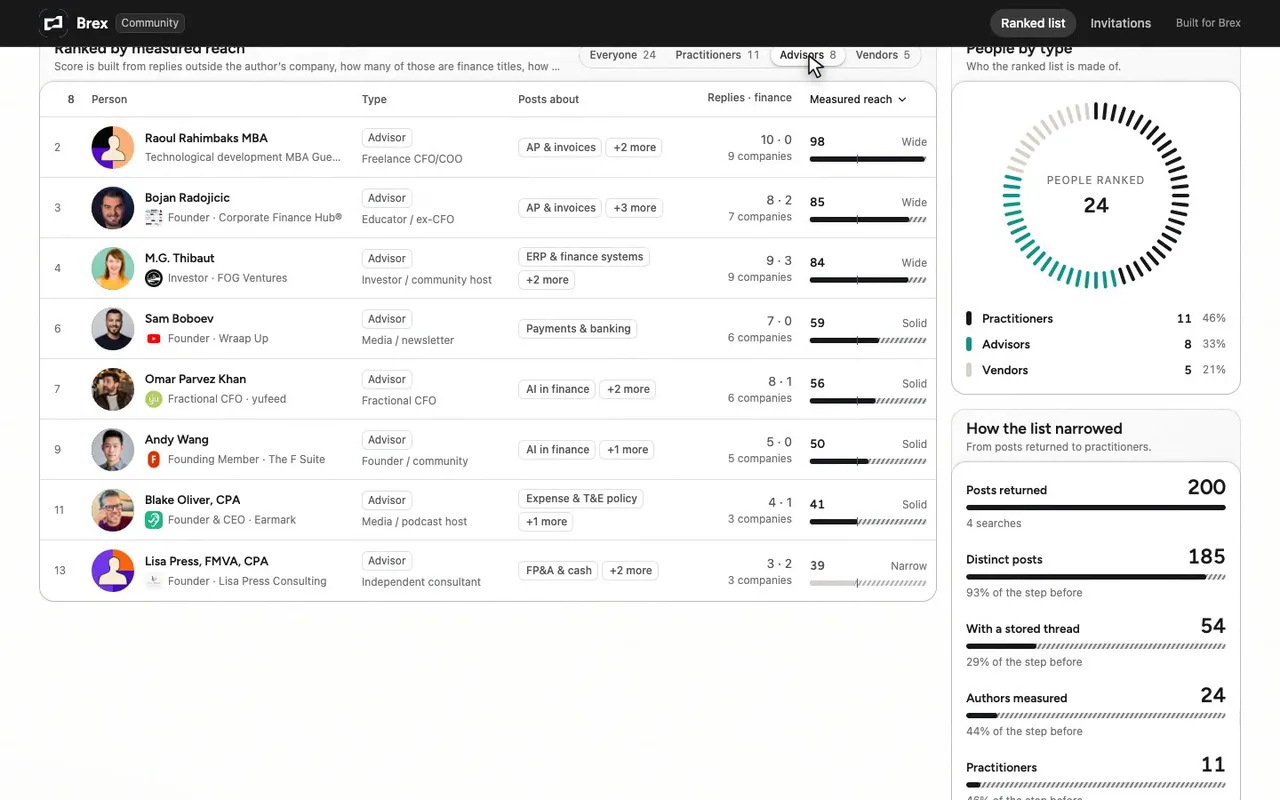
Switch to advisors: eight people, a new ranking.
-
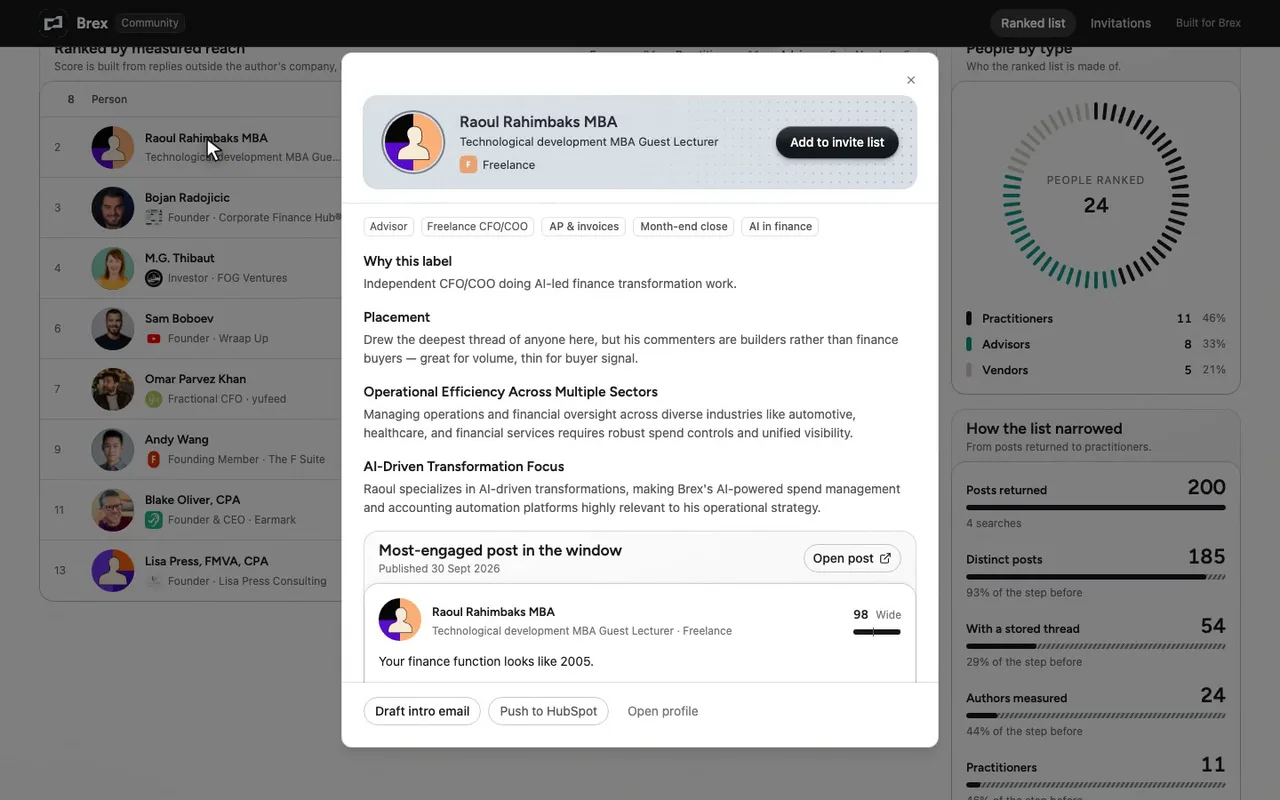
Open Raoul to see why he is placed here.
-
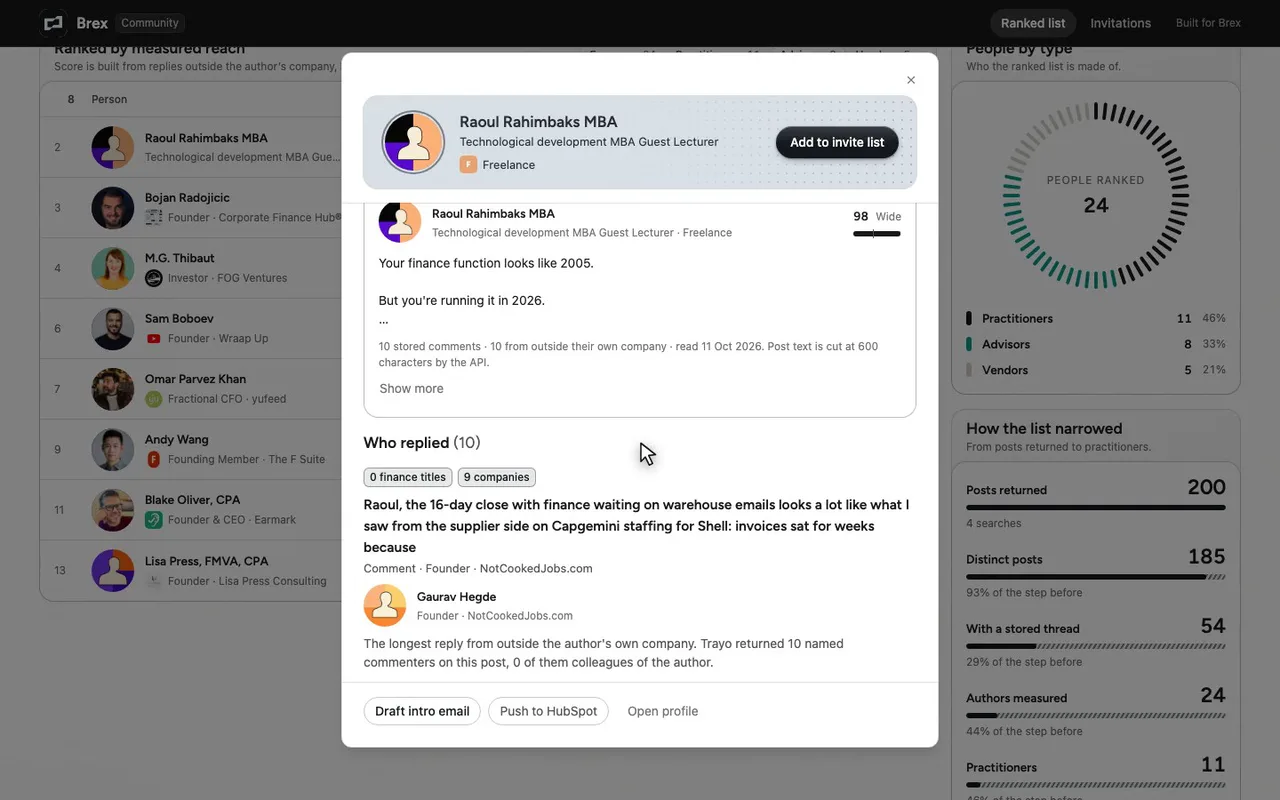
Ten replies, nine companies, zero finance titles.

The prompt
Paste it into any coding agent with the Trayo MCP connected.
- + any MCP client


Use Trayo to build a community seeding list. Find the people posting publicly about my category over the last month, and rank them by how much genuine reach and engagement they have rather than follower count alone.

For each person show what they post about, their most-engaged recent post, and whether they are a practitioner or a vendor — I want practitioners. Then split the ranked list into three buckets: invite to the community, invite to the advisory board, invite onto the podcast, with a one-line reason for each placement.
Take the tour
A narrated walkthrough of the app.
The building blocks
What this app asked Trayo for
Every name, number and email on the page came back from one of these. None of it was typed in.
Reads your workspace
What you sell, who you sell to, and the buyer personas already saved in Trayo.
Finds the right people
Named stakeholders at an account, matched to the buying roles you care about.
Reads social activity
Posts and the people engaging with them, for plays that start from a conversation.
How it was built
The data behind each screen, and what's faked for the demo.
Built in 17 min · 3 capabilities · 37 live API calls
This is an internal screen for a Brex rep or community lead who has to decide who to invite into a new finance community. The ranked list shows every author Trayo found writing publicly about Brex’s category in the last 30 days: what they post about, their most-engaged post in the window, and whether they are a practitioner, an independent advisor or a vendor. It defaults to practitioners. A second view splits the same people into three invitations — community, advisory board, podcast — with a one-line reason for each placement, and lists the vendors that were deliberately set aside. Clicking any row opens the person with their post, the people who replied to it and their career history.
Everything about a person here came from Trayo. Four trayo_search_posts calls over the 12 September to 12 October 2026 window returned 200 rows, 185 distinct posts; 54 of those had at least one comment thread stored. trayo_get_post_engagers was then called on 24 posts and returned 129 named commenters with their titles and employers, and trayo_research_person_batch returned career history and context for all 24 authors. The ranking is built from those comment threads: replies from outside the author’s own company, how many of those carry a finance title, how many ran longer than a sentence, how many separate companies they came from, and the reactions those replies earned. The category itself was taken from the workspace’s own ICP rather than chosen by me, and the four search phrasings are listed in full in the “How this was built” note on the first screen.
Three things to be clear about. First, Trayo returns stored comment threads — not follower counts, reaction counts or impressions — so “measured reach” reads the conversation a post started and nothing else; three people in the list (Rob Brenan, Ayush Agarwal, Steve Retallick) post squarely on category but have almost no stored replies and so rank at the bottom of a measure that cannot see them. Second, the practitioner / advisor / vendor labels and the three bucket placements are my own judgement from each person’s title and employer, not a field the API returns; the reason for each label is shown in the row’s detail. Third, every action button — Export CSV, Add to invite list, Send all, Draft intro email, Push to HubSpot — is a preview that raises a toast saying nothing was sent, because no CRM or mail integration is wired to this workspace. On brand: the supplied palette is a single near-black, #15191E, and the kit’s brandFromWorkspace read it as the primary with no background or shell given, so it assumed a white page and derived the top bar from the primary (#191919). Those notes are printed at the bottom of each screen. The palette’s own natural theme resolved as dark; the app is pinned to light mode as specified.
More recipes
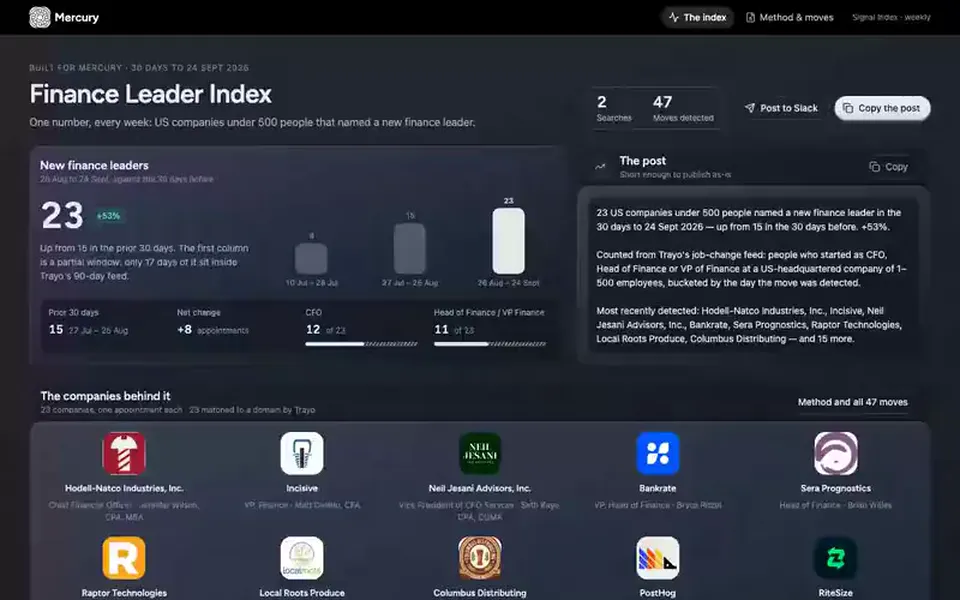
 Mercury
Report
Weekly signal index
Computes one number for a trend in your category, the last 30 days against the 30 before, ready to post.
You provide: A trend to measure, or let it pick one
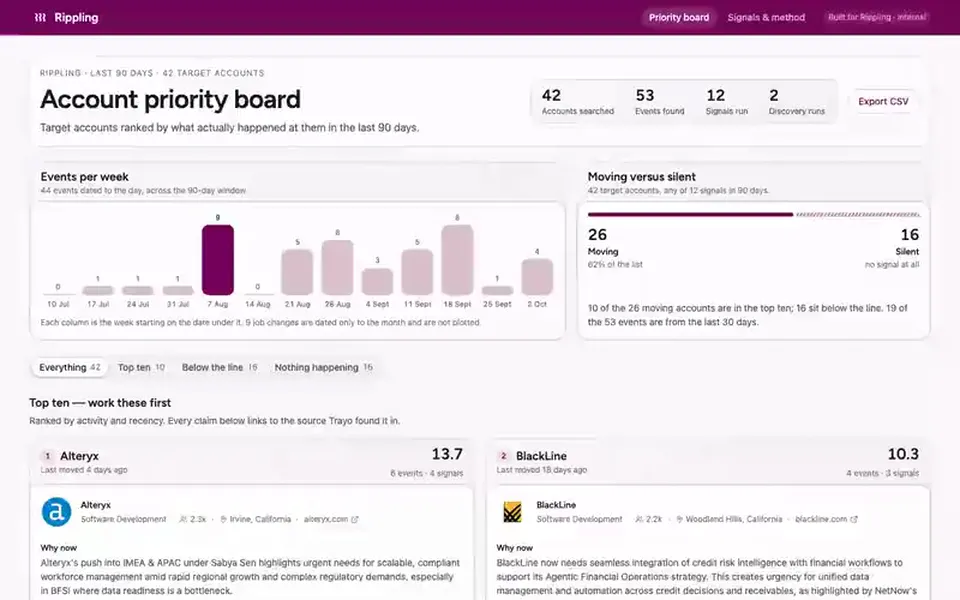
 Rippling
Board
Account priority board
Ranks a list of target accounts by what happened at each in the last 90 days and shows the ten to call first.
You provide: A list of target accounts
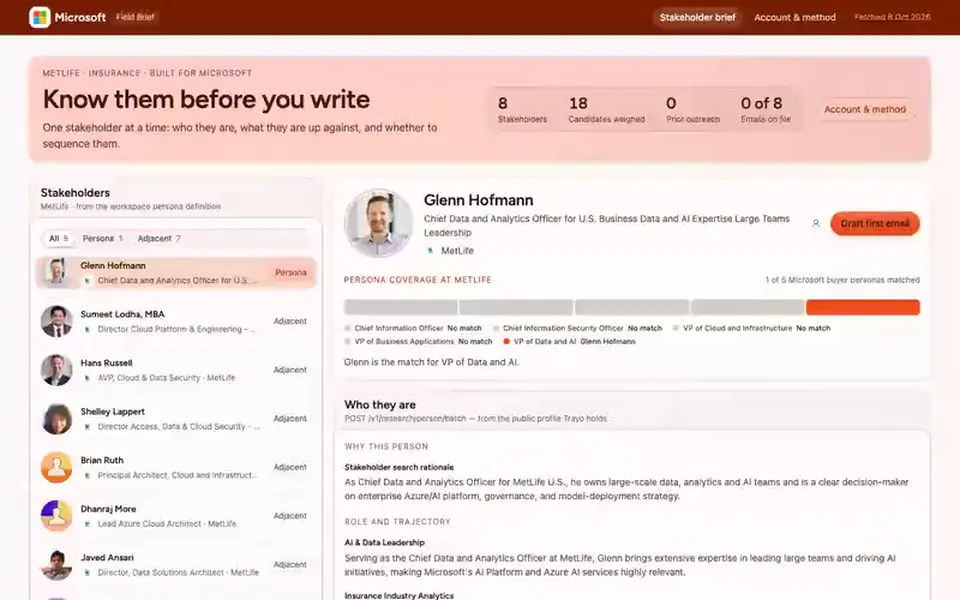
 Microsoft
Brief
Pre-outreach brief
Shows what to know about each stakeholder at an account before writing to them, and whether they are worth a sequence.
You provide: A target account