What's New in Trayo — June 2026


Hi there,
Here’s what’s new in Trayo this month. One theme: less time hunting for the right people, more time talking to them.
Search, search, search — for companies and contacts
Describe who you want. Trayo finds them. Build your target list in seconds, not afternoons.
Instead of exporting lists from three tools and importing CSVs, type what you’re looking for — “CISOs at Fortune 500 financial services companies” — into the new Find page (top of your sidebar). You get a ranked, enriched list in seconds, and one click on Add to Trayo turns any of them into a fully monitored account or contact, with discovery and stakeholder research kicked off automatically. Anything you already track is marked, so no duplicates.
Top accounts this week
Know which 5 of your 80 accounts are worth a call today.
Every account now gets a weekly 0–100 score based on its recent signals — weighted by importance, with newer events counting more, and stacking signals rather than a single one boosting the score. Find it in the Score column on the Accounts page (hover it for the how-it’s-calculated explainer). It refreshes automatically every Monday, and workspace admins can hit Recalculate scores anytime.
Go from signal to sent email without leaving Trayo
Send from your real inbox, and replies land where you work.
Connect Gmail or Outlook once (Settings → Email) and send drafts straight from the composer, in your tone. No more copy-pasting into another window — and everyone you email gets a Contacted badge across Trayo, so your team never double-touches the same person.
Your existing lists work too. Have contacts in a spreadsheet or another tool? Paste a LinkedIn URL to add one person, or import a CSV with up to 5,000 at once. Trayo dedupes them, enriches them, matches them to your accounts, and starts monitoring companies it hasn’t seen before. Tag each import so you can filter your Contacts list by campaign or source later.
Signals where your team already lives
Pipe events into Slack.
Connect the Trayo Slack app (Settings → Slack), pick a channel, and your workflow events arrive as clean, scannable cards — so the whole team sees a buying signal the moment it lands, without opening another tab.
Trayo MCP, wherever you work
Run your workspace from Claude or Cursor.
The new MCP page in the sidebar connects Trayo to Claude Code, Claude Desktop, Cursor, or any MCP client with one copy-paste command. Ask questions like “which of my accounts had job-change signals this week?” and act on the answers — the same data as the app, in a conversational interface.
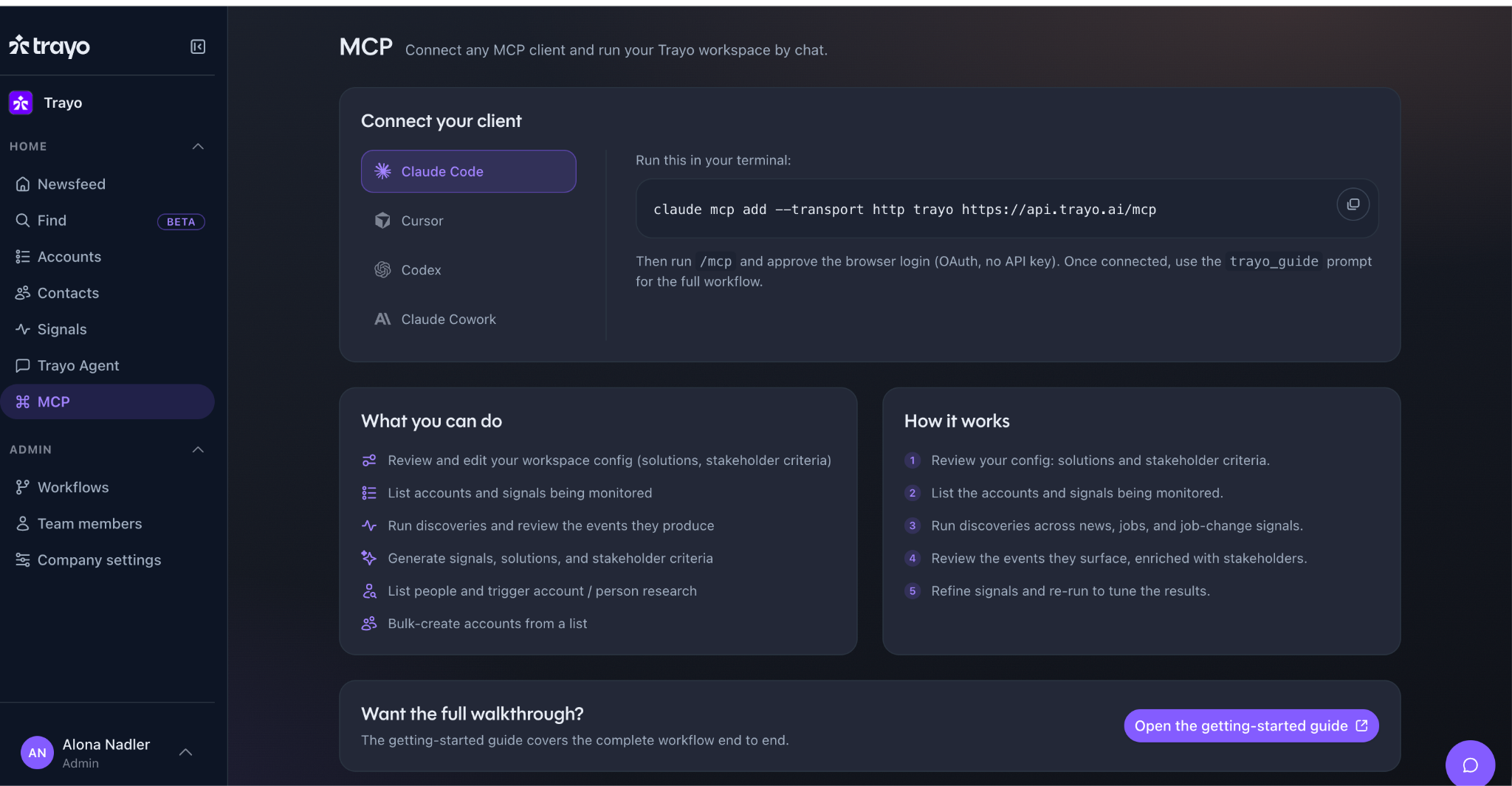
One copy-paste command connects Trayo to Claude, Cursor, or any MCP client.
Warning: the app is now unnecessarily beautiful
New design system, new icons, polish on every surface. Zero of it was strictly required. We regret nothing.
Your accounts are already sending signals.
Trayo watches every one of them and tells your team when to move. Free to start, no credit card.